User Experience Engineering: Origins, Organizational Impact, and the Interface Evolution
User Experience (UX) Engineering has emerged as a highly specialized hybrid discipline that bridges the systemic gap between creative design and production software development. By translating abstract visual aesthetics into performant, accessible, and modular code, UX Engineers eliminate technical debt, resolve cross-team handoff friction, and streamline corporate workflows. Discover the historical roots, modern compensation benchmarks, and future-ready paradigms of this essential role as it scales digital design systems into the frontiers of spatial computing and AI-driven interactive environments.
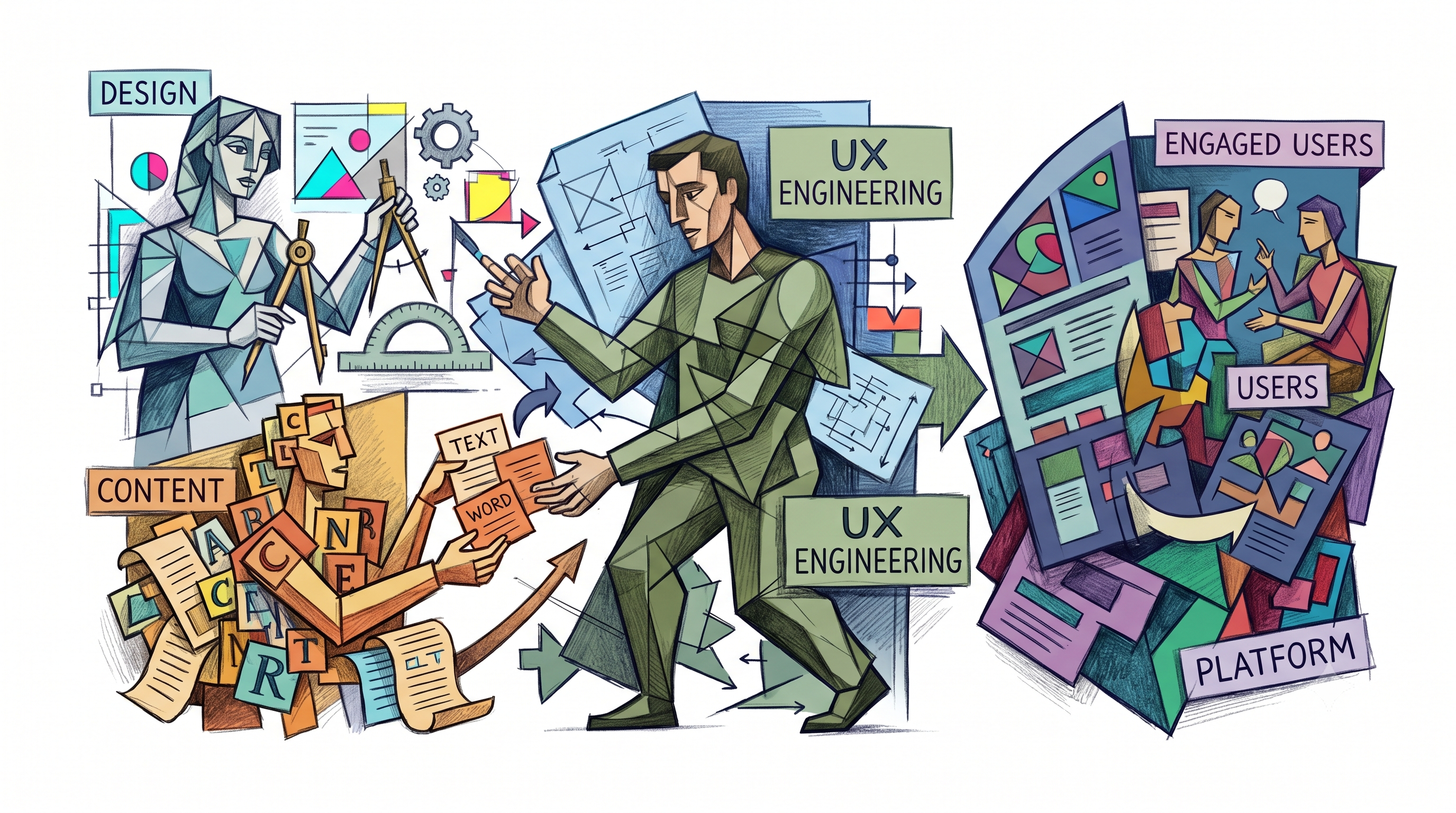
The creation of modern digital products is characterized by a structural divide between design conception and software engineering. Historically, organizations managed this divide by employing linear handoff procedures, passing static visual assets from designers to developers. However, as web systems expanded and interface complexity grew, this handoff model became a primary source of operational friction, technical debt, and visual regression.
To resolve these systemic inefficiencies, a highly specialized discipline has emerged: User Experience (UX) Engineering. Operating at the boundary of creative vision and computer science, the UX Engineer applies rigorous software development practices to the implementation of user interfaces, ensuring that designs are translated into performant, accessible, and modular production code.
The Modern Synthesis of Design and Code
A UX Engineer is a specialized developer who focuses on user-facing elements, acting as the primary link between creative design teams and backend engineering divisions. Unlike traditional frontend developers whose work spans the entire client-side architecture, the UX Engineer possesses a hybrid competency model. They combine deep empathy, human-computer interaction (HCI) knowledge, and design aesthetics with production-grade engineering skills.
This role exists because the modern frontend development ecosystem has expanded, creating a divide between visual implementation and application infrastructure. To understand where the UX Engineer operates, one can analyze the division between front-of-the-front-end and back-of-the-front-end engineering.
Front-of-the-Front-End versus Back-of-the-Front-End
The scope of client-side engineering is too broad for a single generalist to master efficiently. Front-of-the-front-end development, which is the primary domain of the UX Engineer, focuses on how the interface looks, behaves, and communicates with the user. This includes the execution of semantic markup, accessible architecture, responsive layouts, motion design, and styling systems.
In contrast, back-of-the-front-end engineering focuses on the structural logic that enables the application to perform, manage state, and communicate with backend services. These tasks are typically handled by frontend developers who do not specialize in styling or layout aesthetics.
Dimension
UX Engineer (Front-of-the-Front-End)
Frontend Developer (Back-of-the-Front-End)
Primary Focus
Interface look, feel, behavior, usability, and accessibility.
Core application logic, scalability, security, and data flow.
Core Responsibilities
Semantic HTML, modular CSS, presentational JS, layout responsiveness, transitions, and design system engineering.
Routing, caching, authentication, API integrations, state management, and Node framework configuration.
Core Tooling
Figma, Storybook, Style Dictionary, layout engines, and visual testing suites.
Webpack, Vite, Docker, state managers, API wrappers, and CI/CD pipelines.
Testing Scope
Usability validation, cross-browser responsiveness, keyboard navigation, and screen-reader auditing.
End-to-end integration tests, performance benchmarking, security vulnerability scanning, and error boundary logging.
This functional separation ensures that each engineer focuses on their core strengths. A standard frontend engineer manages complex data plumbing, while the UX Engineer guarantees that the interface remains performant, accessible, and aligned with design specifications.
The Historical Evolution of Interface Usability
The emergence of UX Engineering is the result of decades of development in human-computer interaction, industrial engineering, and product economics. Long before digital screens, humans sought to optimize the relationship between individuals and their physical tools.
Ancient and Industrial Roots of Usability
The principles of modern user experience trace back to early ergonomic concepts. In ancient China, the philosophy of Feng Shui emphasized arranging spatial layouts to maximize comfort and usability. By the 5th century BC, the Greeks applied ergonomics to physical tools and workplaces. Hippocrates documented precise instructions for a surgeon’s operating theater, specifying light source placement, comfortable positioning, and the intuitive arrangement of medical implements.
The Greeks also designed physical objects for ease of use. For example, the three-handled Hydria water jar included two horizontal handles for transport and one vertical handle for pouring, showing how form can adapt directly to human utility.
During the Industrial Revolution, usability shifted toward labor efficiency. In the 1880s, mechanical engineer Frederick Winslow Taylor analyzed workers and their tools at Midvale Steel Company, establishing Scientific Management Theory to reduce physical waste and optimize factory processes. This approach inspired Henry Ford to design frictionless, pace-controlled assembly lines for the Model T.
In the 1940s, Toyota shifted the focus of workplace efficiency by prioritizing the worker, ensuring assembly line tools were built to fit human physical needs. In 1955, industrial designer Henry Dreyfuss published Designing for People, explaining that if the point of contact between a product and a user causes friction, the designer has failed; conversely, if the user feels safe, efficient, and comfortable, the designer has succeeded.
The Digital Era and the Usability Shift
The mid-20th century introduced computers, bringing new usability challenges. In 1945, Bell Labs hired psychologist John E. Karlin to apply human factors to telephone communication. His work in the 1950s led to the design of the standard touchtone telephone keypad, showing how user research can shape ubiquitous interfaces.
By the 1970s, Xerox PARC established foundational Graphical User Interfaces (GUIs) and the computer mouse, making cryptic computer systems accessible to everyday users without programming knowledge. In 1993, cognitive scientist Don Norman joined Apple as a User Experience Architect and coined the term "User Experience" to cover all aspects of a person's interaction with a system, including visual interfaces, industrial design, and physical manuals.
The commercial expansion of the internet changed the business value of usability. In the early desktop computing era, software was sold in physical packaging, meaning transactions occurred before the user experienced the product. The web revolution reversed this model: on websites and SaaS platforms, user experience precedes the transaction. Because usability directly impacts conversion rates, organizations began investing heavily in their interface design and engineering capabilities.
Era
Key Milestones and Figures
Core Usability Paradigm
Ancient Civilizations
Feng Shui (China, 6,000 BP); Hippocrates’ surgical theaters and the Hydria water jar (Greece, 5th Century BC).
Arranging physical spaces and crafting handheld tools to align with human posture and comfort.
Industrial Era
Frederick Winslow Taylor (1880s); Henry Ford’s Model T assembly line (1913); Toyota Production System (1940s).
Optimizing human-machine efficiency in manufacturing; standardizing tools and workflows to reduce physical waste.
Consumer Growth
Henry Dreyfuss’s Designing for People (1955); John E. Karlin’s touchtone keypad design at Bell Labs (1950s).
Minimizing physical friction in household appliances and communications; validating layouts through empirical testing.
Personal Computing
Xerox PARC GUI and mouse (1970s); Apple Macintosh (1984); Don Norman coining "User Experience" (1Apple, 1993).
Translating complex, low-level machine code into understandable, visual desktop metaphors for non-technical users.
The Web Revolution
eCommerce expansion (1990s); SaaS boom (2000s); Mobile app explosion following the iPhone launch (2007).
Transitioning from transactional sales to experience-first models; usability becomes the primary driver of online revenue.
Organizational Support and Job Market Demarcations
Within a modern technology organization, roles at the intersection of design and engineering must be clearly defined. While titles can sometimes overlap, their core objectives, technical constraints, and compensation reflect distinct skill sets.
Differentiating Specialized Industry Roles
To build balanced product teams, organizations must distinguish between designers, design engineers, frontend developers, and UI developers :
UI/UX Designer: Focuses on discovery, user empathy, journey mapping, wireframing, and visual assets. They identify user problems and design intuitive solutions, using tools like Figma or Sketch. They typically do not write production code.
UI/UX Developer: Bridges the gap by converting design vectors into interactive web elements. They utilize frontend technologies but focus primarily on visual presentation and user interactions rather than deep application state management or network optimization.
Design Engineer: Often reporting to design or product units, this role builds design system infrastructure and workflows. They specialize in visual consistency, custom animations, and UI tooling, making them highly valuable during early-stage prototyping.
Frontend Engineer: Positioned within the engineering org, they build core application logic and connect user-facing components with backend APIs, prioritizing system performance, data integrity, and security.
Market Compensation and Corporate Benchmarks
Because UX and Design Engineers possess hybrid skill sets, their compensation is highly competitive. Market rates reflect the high value organizations place on bridging the gap between design and production-ready code.
Role & Focus
Organization
Annual Compensation (Base Salary Range)
Core Skill Requirements
UI/UX Designer
Industry Average
~$90,000 (US Average)
Visual layout, journey mapping, usability testing, and wireframing in Figma.
Frontend Developer
Industry Average
~$100,000 (US Average)
HTML, CSS, JavaScript, framework routing, API consumption, and Git.
UX Engineer (Google Meet)
$129,000 – $185,000
Mobile and web UI frameworks, design system administration, and prototyping.
Design Engineer (Presence)
Stripe
$146,400 – $219,600
Advanced HTML/CSS, React, WebGL animations, and design system engineering.
Senior Design Engineer
Vercel
$196,000 – $294,000
Next.js, Payload CMS integration, conversion tracking, Amplitude, and visual polish.
These benchmarks show that organizations are willing to pay a premium for engineers who can protect design system patterns while writing clean, performant, and accessible front-end code.
The End-to-End UX Engineering Workflow
The day-to-day work of a UX Engineer is structured around clear phases, translating abstract design ideas into stable, production-ready interfaces.
┌─────────────────────────┐ ┌─────────────────────────┐
│ 1. Gather Requirements │ ────►│ 2. Technical Plan │
└─────────────────────────┘ └─────────────────────────┘
│
▼
┌─────────────────────────┐ ┌─────────────────────────┐
│ 4. Build & Handoff │◄─────│ 3. Prototype & Test │
└─────────────────────────┘ └─────────────────────────┘
│
▼
┌─────────────────────────┐
│ 5. Document & Maintain │
└─────────────────────────┘
1. Gathering Requirements and Technical Planning
The process begins with collaborative planning sessions. The UX Engineer works with UI designers, product managers, and backend engineers to evaluate the technical feasibility of proposed designs, clarifying layout logic, animation budgets, and integration patterns. They assess potential technical challenges early, establishing a clear implementation plan before coding begins.
2. Prototyping and Usability Testing
Once requirements are set, the UX Engineer builds high-fidelity, coded prototypes. While design tools like Figma are useful for static layouts, they cannot simulate complex state transitions, dynamic data inputs, or accessibility inputs. By writing prototypes in HTML, CSS, and presentational JavaScript, the UX Engineer creates a realistic sandbox environment.
These coded prototypes allow user researchers to evaluate usability under real browser conditions, helping identify and fix performance bottlenecks or edge-case layout bugs before they are integrated into production.
3. Production Building and the Handshake
After a prototype is approved, the UX Engineer builds the final interactive components. They write clean, performant CSS, apply semantically correct HTML tags, and implement accessible keyboard interaction patterns. This code is then delivered directly to the frontend engineering repositories using Git-based workflows.
Because the UX Engineer writes code that matches the visual mockups exactly, backend-focused frontend developers can easily integrate these visual components with APIs, authentication flows, and state engines without having to adjust spacing or aesthetic padding.
4. Documentation and Maintenance
To ensure long-term design consistency across an organization, the UX Engineer documents and maintains the living components. This includes writing coding guidelines, structuring component APIs, and updating shared styling modules. By maintaining these components in a central repository, they prevent duplicate work and ensure the interface remains easy to update as the product scales.
Systems-Level Impact and Corporate Case Studies
At scale, the primary tool for maintaining visual consistency and development speed is the design system. The UX Engineer acts as the core builder and governor of these systems, turning static visual assets into a unified codebase.
Design Tokens and Storybook Integration
To manage design systems across different applications and devices, organizations utilize design tokens. These are platform-agnostic, key-value pairs that store fundamental design choices like colors, spacing variables, font weights, and line heights.
In a modern token pipeline, design decisions are authored in a central JSON format. Compilation engines like Amazon's Style Dictionary convert this JSON into native styles for web, iOS, and Android applications.
{
"brand": {
"color": {
"primary": { "value": "#0053C6", "type": "color" },
"secondary": { "value": "#E50914", "type": "color" }
},
"font": {
"body": { "value": "Circular, sans-serif", "type": "fontFamily" }
}
}
}
Design tokens are categorized into two core types: basic tokens, which are context-agnostic variables, and semantic tokens, which map those basic tokens to specific use cases, such as background colors or body text.
These tokens are integrated directly into Storybook, an isolated workshop environment where UX Engineers build and document UI components without the overhead of backend dependencies. Within Storybook, engineers use accessibility addons to audit WCAG contrast compliance.
For example, to meet WCAG AA requirements, standard text must maintain a relative luminance contrast ratio (C) of at least 4.5:1 against its background, which is calculated as:
where L_1 is the relative luminance of the lighter color and L_2 is the relative luminance of the darker color. By resolving these styling requirements in Storybook, the UX Engineer ensures that components are accessible and compliant before they are integrated into production.
### Case Study 1: Airbnb’s Design Language System and Behavioral Research
As Airbnb expanded globally, maintaining a consistent user experience across web and mobile platforms became a major challenge. The organization resolved this by creating their Design Language System (DLS), an accessibility-first framework built on reusable components, design tokens, and automated documentation. This unified system helped eliminate visual regressions and accelerated deployment pipelines.
Airbnb also leveraged behavioral user research to drive design decisions. While analyzing user communication patterns, their design team discovered that hosts were sending over 1.5 million photo messages weekly to explain check-in details to guests. Guests were receiving a disjointed experience of maps, lockbox photos, and long explanations.
This quantitative insight led to a year-long project to design a global, integrated check-in tool. UX Engineers turned this research into a dynamic, translation-enabled, offline-compatible visual guide, streamlining the guest arrival experience.
Additionally, engineering leads Maya and Ty documented a critical design system evolution at Airbnb. They noted that while a highly constrained design system is an excellent starting point, growing product complexity can cause rigid constraints to become a bottleneck for product teams.
By shifting toward a more flexible component structure and sharing styling responsibility with product developers, Airbnb allowed design teams to iterate faster while keeping their core codebase clean and maintainable.
Case Study 2: Google Meet’s Rapid Feature Development
During the COVID-19 pandemic, virtual collaboration software experienced unprecedented demand. Google for Education and Google Meet teams collected immediate feedback from educators, who noted that standard video tools were letting students bypass teacher controls. Students were muting teachers, taking over screens, and joining rooms unsupervised.
In response, Google’s UX team prioritized immediate feature development. UX Engineers built and validated new interactive controls, including host-controlled muting, attendance logs, hand-raising queue systems, waiting rooms, and in-meeting polls.
By rapidly prototyping and deploying these safety and collaboration features, Google Meet adjusted to changing user needs during a global crisis, showing how responsive engineering can solve real-world problems.
Case Study 3: Netflix’s Hawkins System and Performance Architecture
Across the Netflix Studio ecosystem, production staff utilize over 80 discrete, internally developed applications to manage content creation from pitch evaluation to financial forecasting. To prevent development teams from rebuilding common components, Netflix engineered "Hawkins," an atomic design system built on top of React and Material-UI. This shared system ensures visual consistency and minimizes employee training time, as staff navigate identical table designs and form flows across various internal apps.
Netflix also uses rigorous technical testing in their hiring loops. System design candidates must demonstrate they can evaluate complex performance parameters, analyze latency targets, estimate throughput limits, and optimize client-side telemetry.
For example, their interviewers evaluate how candidates use UI engagement signals—such as tracking mouse-hover duration over movie cards—to train personalization and content recommendation engines.
The Modern Frontier: AI Collaboration, Spatial Computing, and Multimodal Interfaces
As technology continues to evolve, the responsibilities of the UX Engineer are expanding beyond traditional flat, two-dimensional screens.
The AI Skills Shortage and Intent-Driven Generative UI
The growth of generative AI is transforming how interfaces are conceptualized and built. According to market research, demand for AI skills in UX job postings grew by 225% in 2025. However, the design sector faces a major skills gap, with only 5.8% of design candidates meeting these technical requirements.
The primary challenge with generative interfaces is no longer about drawing pre-built static screens. Instead, it is about designing dynamic, adaptive experiences where the interface changes on the fly based on user intent and real-time context.
While AI systems can quickly generate basic code and boilerplate layouts, they often produce poor-quality interfaces if left unconstrained. UX Engineers play a key role in building the rules, token bounds, and layout guidelines that AI systems use to render consistent, clean, and accessible interfaces.
This requires engineers who can map human workflows and design safe, reliable interaction models.
Multimodal Interface Architecture
Digital interactions are transitioning from visual-first configurations to multimodal experiences that combine multiple sensory inputs :
Voice Control: Interpreting speech, vocal tone, and user intent.
Computer Vision: Tracking eye-gaze and touchless hand gestures.
Tactile Haptics: Using vibration, pressure, and tactile feedback to communicate system status.
Environmental Context: Utilizing spatial sensors, location data, and environmental lighting conditions.
To build successful multimodal systems, UX Engineers follow five core principles :
Balanced Input Modes: The system must evaluate which sensory input is best for a given task, avoiding sensory overload.
Seamless State Transitions: Users must be able to switch between input types (e.g., starting with voice and completing with a physical tap) without resetting the application state.
Graceful Fallback States: The system must automatically switch to alternative inputs when environmental factors interfere, such as using visual feedback in loud spaces or physical controls in dark areas.
Immediate Feedback: Providing clear haptic or auditory cues to reassure users when visual screens are not available.
Continuous Personalization: Using context-aware AI to adapt layout hierarchies, color palettes, and interactive elements to the user's emotional and physical state.
Spatial Computing Environments
The adoption of spatial computing devices like the Apple Vision Pro, Meta Oculus, and Microsoft HoloLens requires UX Engineers to design three-dimensional interfaces. In these spatial environments, flat layouts are replaced by three-dimensional canvases that fill the physical space around the user.
┌────────────────────────────────────────────────────────┐
│ Spatial Canvas │
│ │
│ [Hover Glow Highlight] │
│ - Positioned in 3D - Activates on eye gaze │
│ - Depth & Shadows - High contrast border │
│ │
│ │
│ ───►│
│ - Finger pinch select - Smartwatch vibration │
│ │
└────────────────────────────────────────────────────────┘
Designing for spatial computing introduces unique interactive challenges. UX Engineers must design eye-gaze selection models, ensure virtual buttons glow or highlight on look, and program touchless controls where a simple finger pinch triggers actions.
They must also design interfaces that adapt to their environment, automatically scaling elements based on physical distance, adjusting translucency to fit varying background lighting, and respecting user boundaries to create a comfortable, intuitive experience.
Conclusions and Strategic Recommendations
The growth of UX Engineering shows that code remains the most effective medium for design system validation, interface consistency, and product speed. To optimize their product delivery pipelines and prepare for next-generation interfaces, organizations should consider the following steps:
Decouple Client-Side Engineering Roles: Move away from standard "full-stack" expectations. Establish clear tracks for front-of-the-front-end developers (UX Engineers) to focus on usability, accessibility, and interface quality, while back-of-the-front-end developers handle API architecture, routing, and system data flows.
Position UX Engineers Near Design Operations: Integrate UX Engineers directly within design units or DesignOps teams. This positioning allows them to evaluate technical feasibility during early-stage planning, helping designers avoid building complex, non-standard elements that are difficult to implement performantly.
Implement Design Tokens Globally: Centralize design decisions in platform-agnostic, tokenized configurations. Decoupling styling values from raw codebase files allows organizations to update visual designs and branding across multiple web and native applications with minimal manual rework.
Enforce Isolated Component Development: Standardize on testing sandboxes like Storybook. Building and auditing components in isolation ensures they are performant, visually consistent, and compliant with accessibility standards before they are integrated into production systems.
Prepare for Intent-Driven Generative Interfaces: Invest in upskilling UX Engineers in AI integrations, haptic interfaces, and spatial design constraints. As applications move away from static screens, the ability to build flexible, context-aware interface systems will be a key differentiator for digital product teams.
Works cited
1. I Have Seen This Gap Before. What the history of UX design tells us… | by Zahara Chetty - Medium, https://medium.com/@zahara_chetty/i-have-seen-this-gap-before-bd1afb009113
2. The Rocky History of UX Design & the Waterfall - Medium, https://medium.com/@jason.godesky/the-rocky-history-of-ux-design-the-waterfall-42c3114afded
3. Design Engineering: The Discipline That Bridges Design and Code | by Selasi Sepenu | Apr, 2026 | Medium, https://medium.com/@selasisepenu5/design-engineering-the-discipline-that-bridges-design-and-code-1c8559c8b444
4. What is the Difference Between UX Engineer and UX Designer? - UXPin, https://www.uxpin.com/studio/blog/ux-engineer-vs-ux-designer/
5. Who is a UX Engineer and Do You Need One? Comparing a UX ..., https://www.eleken.co/blog-posts/what-is-a-ux-engineer
6. Case Study: How Airbnb's Design System Improved Their UX - Addicta, https://addictaco.com/case-study-how-airbnbs-design-system-improved-their-ux/
7. UX Design Engineer Job in Chicago, IL at Coates Group - ZipRecruiter, https://www.ziprecruiter.com/c/Coates-Group/Job/UX-Design-Engineer/-in-Chicago ,IL?jid=818b3974d9580143
8. What Is a UX Engineer? And How to Become One - Coursera, https://www.coursera.org/articles/what-is-a-ux-engineer
9. What exactly does a UX engineer do? - Nulab, https://nulab.com/learn/design-and-ux/what-does-a-ux-engineer-do/
10. UX Engineer and Frontend Engineer Differences and Distinction (#34990) · Issue - GitLab, https://gitlab.com/gitlab-com/www-gitlab-com/-/issues/34990
11. Design Engineer vs. Front-end Engineer: What's the actual difference? : r/UXDesign - Reddit, https://www.reddit.com/r/UXDesign/comments/1sth02z/design_engineer_vs_frontend_engineer_whats_the/
12. Front of the front-end developer | Jeff Bridgforth, https://jeffbridgforth.com/front-of-the-front-end-developer/
13. Front-of-the-front-end and back-of-the-front-end web development | Brad Frost, https://bradfrost.com/blog/post/front-of-the-front-end-and-back-of-the-front-end-web-development/
14. Front-of-the-front-end and back-of-the-front-end web development (by Brad Frost), https://fuzzylogic.me/posts/2021-02-19-frontofthefrontend-and-backofthefrontend-web-development-by-brad-frost/
15. front-of-the-front-end / back-of-the-front-end - Bram.us, https://www.bram.us/2021/02/19/front-of-the-front-end-back-of-the-front-end/
16. User experience design - Wikipedia, https://en.wikipedia.org/wiki/User_experience_design
17. The Past, Present and Future of User Experience (UX) Design, https://extendedstudies.ucsd.edu/news-events/extended-studies-blog/the-past-present-and-future-of-user-experience-(ux)-design
18. The History and Evolution of User Experience Design - Big Human, https://www.bighuman.com/blog/history-of-ux
19. The History of User Experience Design | by Marcin Treder - Medium, https://medium.com/@marcintreder/the-history-of-user-experience-design-5d87d1f81f5a
20. A Brief History of UX Design - Absorb Studios, https://www.absorbstudios.org/blog/a-brief-history-of-ux-design
21. The history of UX (User Experience) - UX Design Institute, https://www.uxdesigninstitute.com/blog/history-of-ux/
22. A 100-Year View of User Experience (by Jakob Nielsen) - NN/G, https://www.nngroup.com/articles/100-years-ux/
23. Difference Between Front End Developer and UI/UX Designer - GeeksforGeeks, https://www.geeksforgeeks.org/blogs/difference-between-front-end-developer-and-ui-ux-designer/
24. Remote UI Developer vs UI Frontend Developer - Mobilunity, https://mobilunity.com/blog/frontend-developer-vs-ui-developer/
25. UX/UI Designer VS. UX/UI Developer: What's the Difference? - DistantJob, https://distantjob.com/blog/ux-ui-developer-vs-ui-ux-designer/
26. Difference Between UI/UX Designer and UI/UX Engineer - GeeksforGeeks, https://www.geeksforgeeks.org/techtips/difference-between-ui-ux-designer-and-ui-ux-engineer/
27. UX designer or design engineer? Or both? - LogRocket Blog, https://blog.logrocket.com/ux-design/design-engineer-ux-collaboration/
28. Front-End Developer vs. UX Designer, https://www.wgu.edu/blog/front-end-developer-vs-ux-designer2408.html 29. Frontend Development vs UI/UX Designers which career has more prospect in this era of AI? : r/webdev - Reddit, https://www.reddit.com/r/webdev/comments/1rmb2ub/frontend_development_vs_uiux_designers_which/ 30. Design Engineer - Vercel, https://vercel.com/careers/design-engineer-us-5709080004 31. Design Technologists: The role that turns creativity into code - Inside ..., https://www.atlassian.com/blog/how-we-build/design-technologists-the-role-that-turns-creativity-into-code 32. UX Engineer, Google Meet @ Google | Tech:NYC Job Board, https://jobs.technyc.org/companies/google-24698/jobs/56177949-ux-engineer-google-meet 33. Design Engineer, Presence - Stripe, https://stripe.com/jobs/listing/design-engineer-presence/7144975 34. Collaboration with design tokens and storybook - Zure, https://zure.com/blog/collaboration-with-design-tokens-and-storybook 35. A UX designer's guide to Storybook - LogRocket Blog, https://blog.logrocket.com/ux-design/ux-designers-guide-storybook/ 36. What Does a UX Engineer Do, Exactly? A Little Bit of Everything | by ..., https://medium.com/google-design/why-full-stack-developers-make-the-best-ux-engineers-1ddbff6c1739 37. UX Program Manager at Duck Creek Technologies - The Design Project, https://designproject.io/jobs/ux-program-manager-at-duck-creek-technologies-6dmg4k 38. Hawkins: Diving into the Reasoning Behind our Design System | by ..., https://netflixtechblog.com/hawkins-diving-into-the-reasoning-behind-our-design-system-964a7357547 39. Hawkins at Netflix: A Design System That Grows With the Product, https://princepaluiux.com/blog/hawkins-netflix-design-system/ 40. Guidelines / Design Tokens - Page ⋅ Storybook - Telekom Open Source, https://telekom.github.io/scale/?path=/story/guidelines-design-tokens--page 41. Guidelines / Design Tokens - Docs ⋅ Storybook, https://b2b-design-system.otto.market/?path=/docs/guidelines-design-tokens--docs 42. 3 real-world UX research case studies from Airbnb, Google, and Spotify—and what we can learn from them, https://www.uxdesigninstitute.com/blog/real-world-ux-research-case-studies/ 43. Building (And Re-Building) the Airbnb Design System | Maja Wichrowska https://customcareer.miami.edu/blog/2026/03/11/netflix-system-design-interview-2026-guide/https://www.youtube.com/watch?v=fHQ1WSx41CA 44. Netflix System Design Interview (2026 Guide) - Custom Career Content, https://customcareer.miami.edu/blog/2026/03/11/netflix-system-design-interview-2026-guide/ 45. System Design Netflix - GeeksforGeeks, https://www.geeksforgeeks.org/system-design/system-design-netflix-a-complete-architecture/ 46. The most popular experience design trends of 2026 | by Joe Smiley | UX Collective, https://uxdesign.cc/the-most-popular-experience-design-trends-of-2026-3ca85c8a3e3d 47. How Spatial Computing Is Transforming UI/UX Design - Innover Digital, https://www.innoverdigital.com/how-spatial-computing-is-going-to-give-rise-to-a-new-era-of-ui-ux/ 48. The Future of UI/UX Design in the AI Era | by Ajaya Bajracharya | Medium, https://medium.com/@mail.ajayabajracharya/the-future-of-ui-ux-design-in-the-ai-era-b94a310d3045 49. [FT, Washington DC] Design Technologist, NPR, https://groups.google.com/g/design-gigs-for-good/c/-KZDTaVexto